Product updates

Product updates and announcements from Pineway.

Oct 2, 2026

Your name on client receipts and booking emails

Clients now see your name as the sender on offer receipts, booking confirmations, and reschedule emails, with “via Pineway” alongside it.

Your offer receipts also include the message you wrote, with its line breaks preserved. Clients can follow the link in the receipt to find the offers they purchased from you in their client portal.
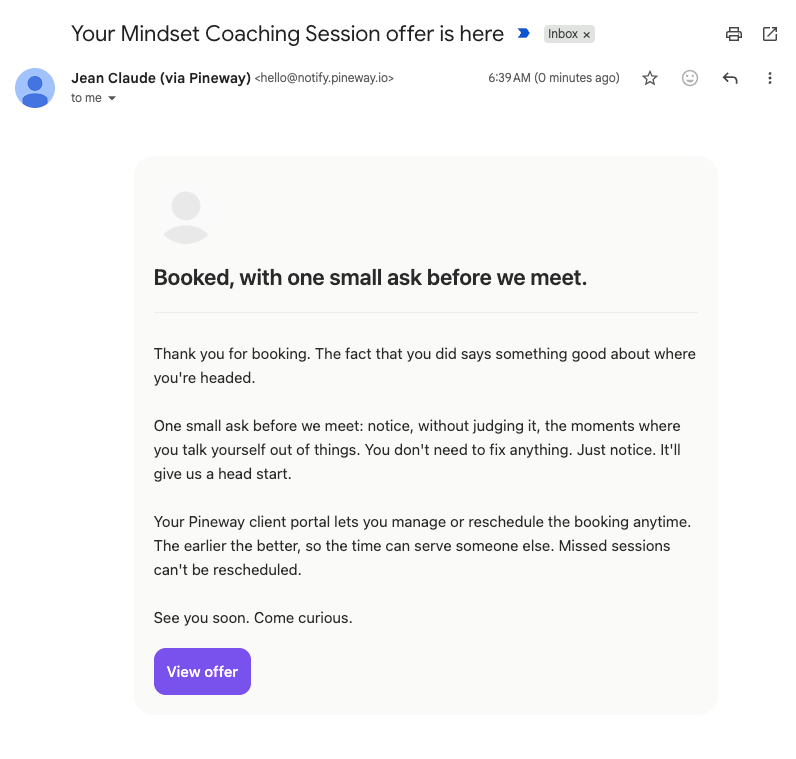
Offer receipt with your name and custom receipt message

For Google Calendar bookings, clients receive the calendar invitation with their confirmation email, rather than in a separate email from Google.
Review your offer’s receipt settings.

Sep 29, 2026

Bring your Paperbell offers into Pineway

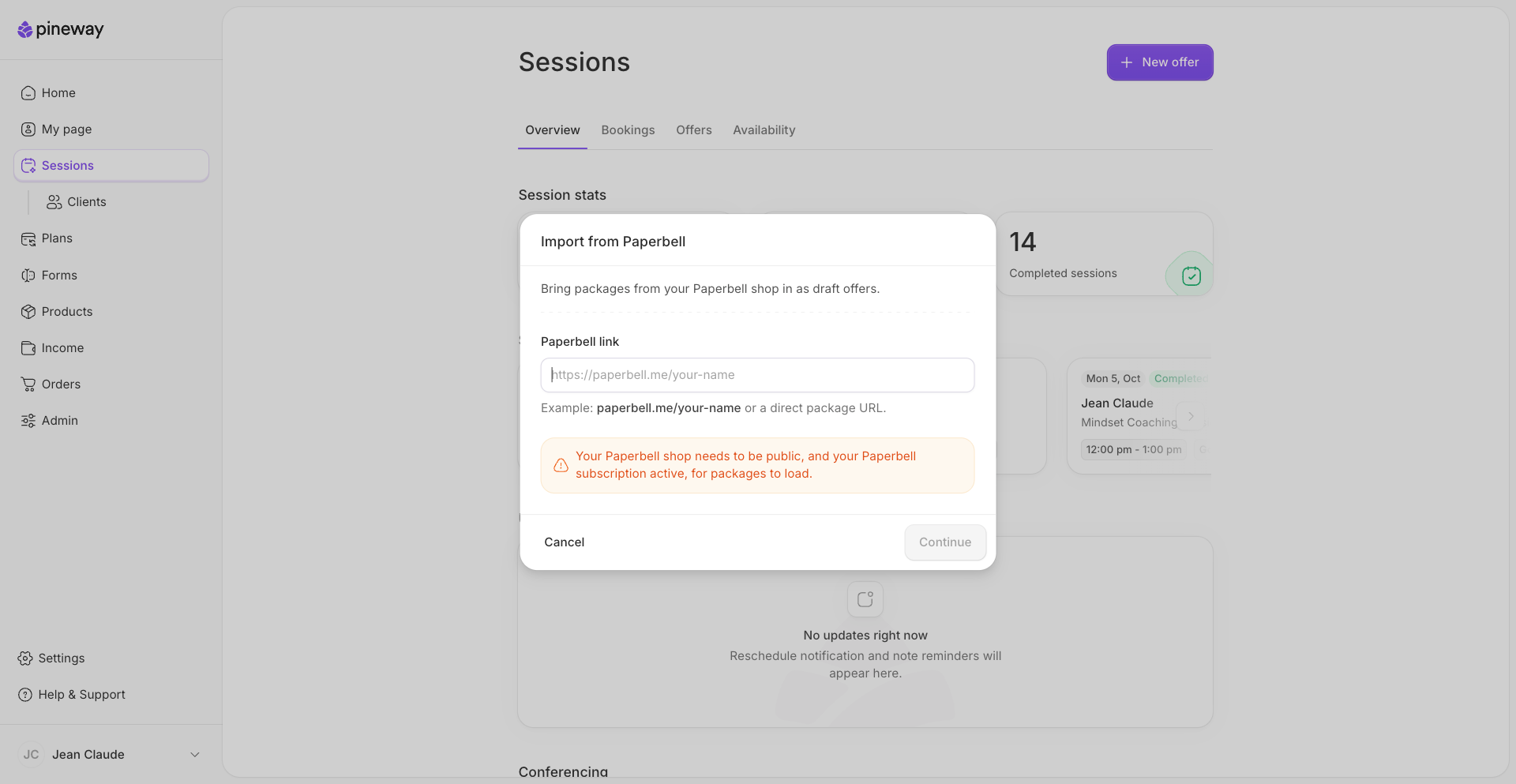
You can now bring your Paperbell packages into Pineway as draft offers. Use your shop or package link to choose which packages and sessions to import, then review them before publishing.

Importing Paperbell offers into Pineway

You need a public Paperbell shop and an active Paperbell subscription to import. Paid packages must be priced in US dollars or euros; for other currencies, create the offer in Pineway yourself.

Import offers from Paperbell.

Sep 23, 2026

Email notifications for shared client notes

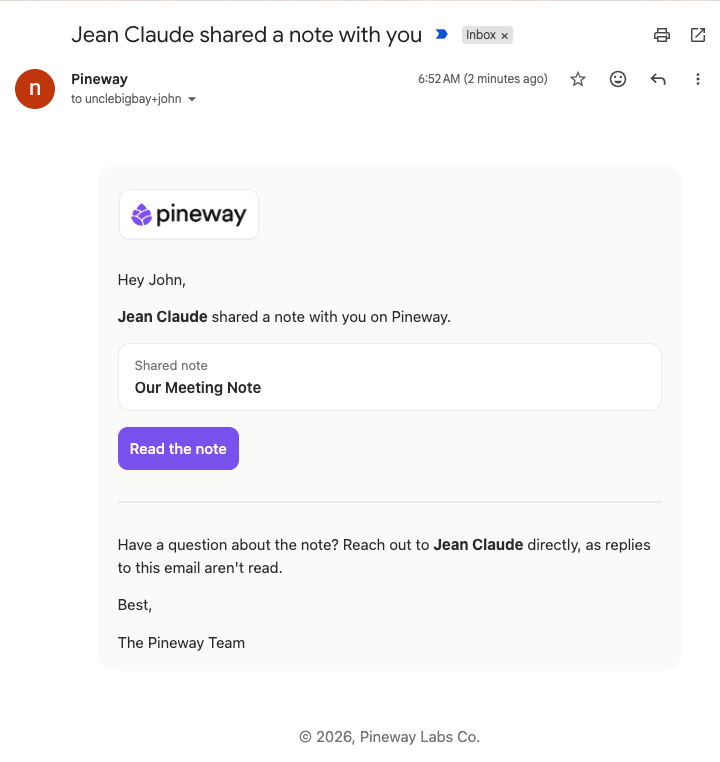
Clients now hear from you by email when you share a note, whether it’s new or one you previously kept private. They can open the note in their client portal from the link in the email.

Email notifying a client that Jean Claude shared a note

If you share a note by mistake, you have about 10 seconds after saving to make it private again with Undo. Your client won’t receive an email about the note. You can also edit a note you’ve already shared without emailing the client again.

Write and share client notes.

Sep 22, 2026

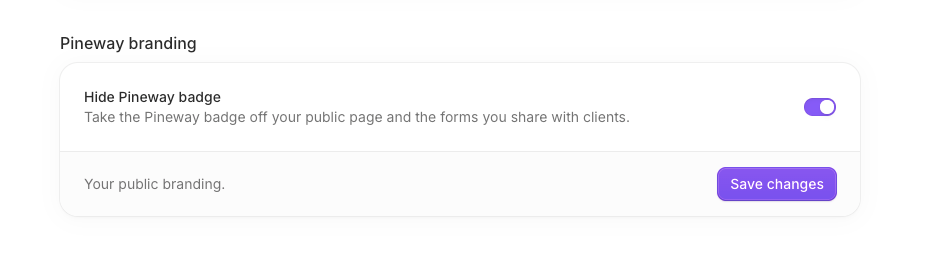
Hide the Pineway badge on Core and Pro

With an active Core or higher subscription, you can now hide the Pineway badge on your public page and shared forms.

Pineway branding settings

To hide it, open Settings, then Account, and turn on Hide Pineway badge under Pineway branding.

Sep 16, 2026

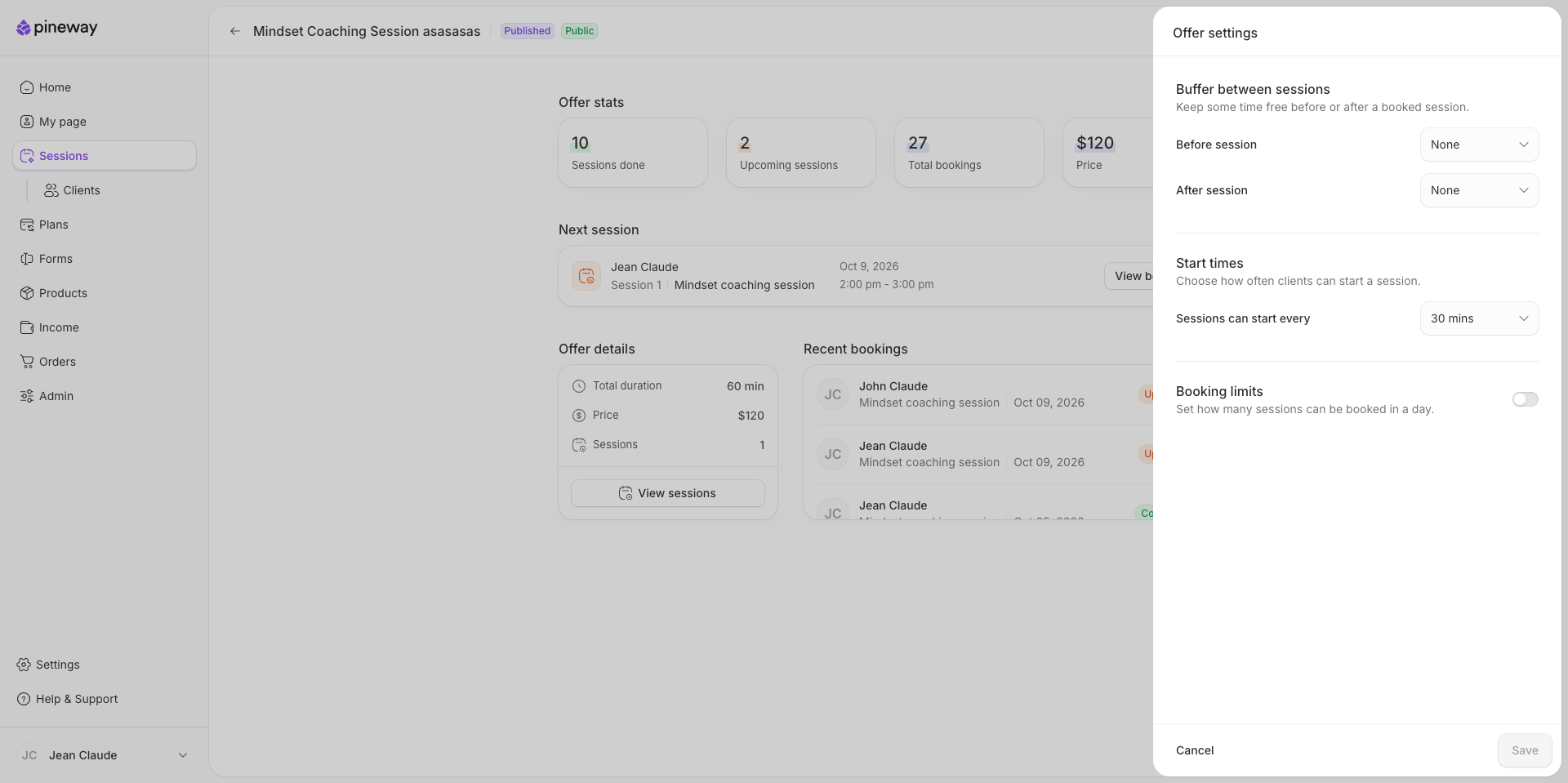
More control over each offer's schedule

For each offer, you can now leave time free before or after sessions, choose how often sessions can start, and set a daily booking limit. You’ll find these options in Offer settings.

Offer settings for session buffers, start times, and daily booking limits

Your working hours, existing bookings, session buffers, and the offer’s daily limit still apply when a session is rescheduled.

Sep 1, 2026

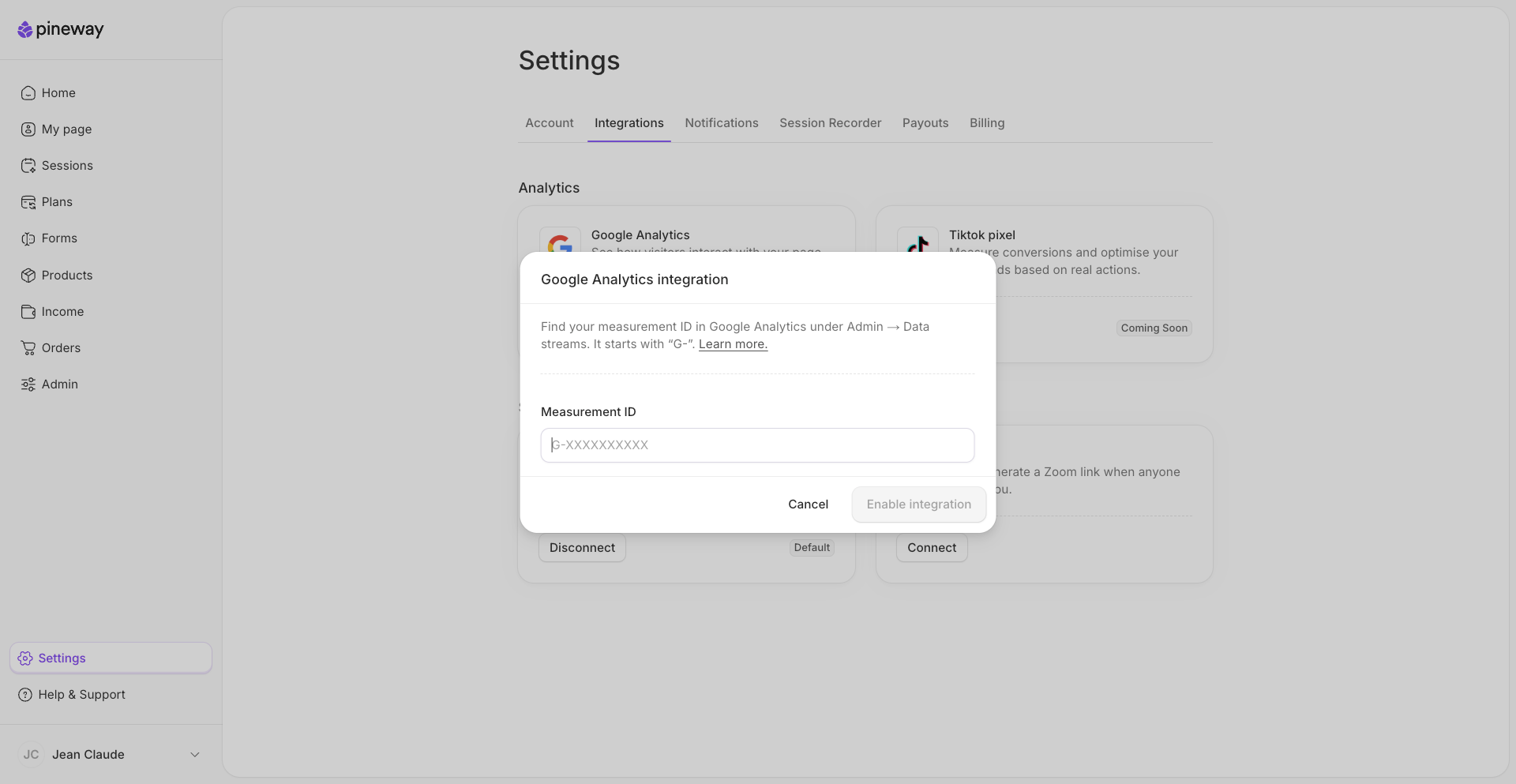
See your page traffic in Google Analytics

You can now track visits to your Pineway page, product pages, and offer pages in Google Analytics.

Google Analytics integration in Pineway settings

To connect, open Settings, then Integrations, and enter the Measurement ID for your Google Analytics property under Google Analytics.

Aug 19, 2026

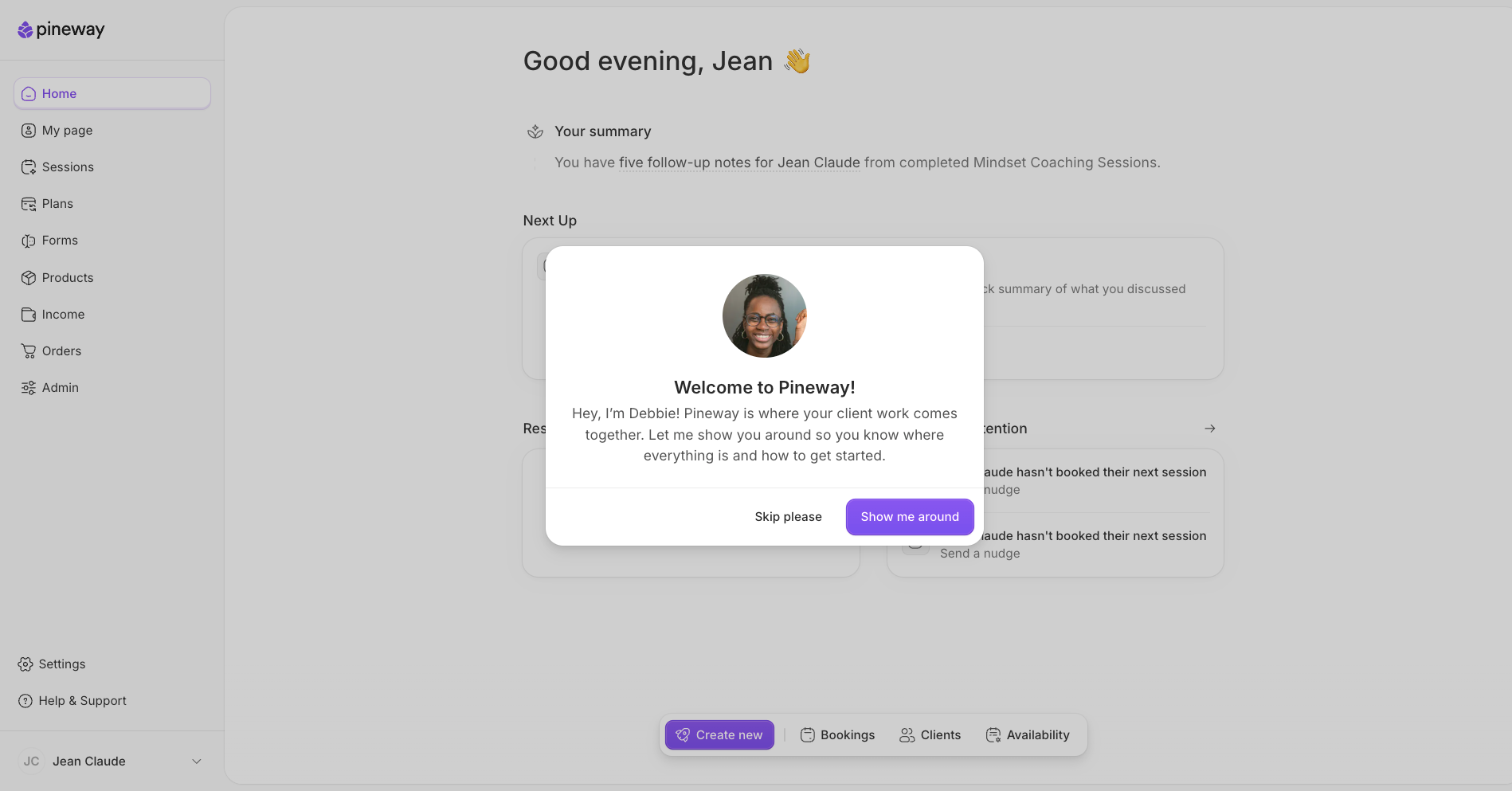
A guided tour to help you get started

Get to know your workspace with a guided tour from your dashboard. You can also follow the “getting started” checklist as you set up your account.

Pineway dashboard onboarding guide

Get started with Pineway.

Aug 14, 2026

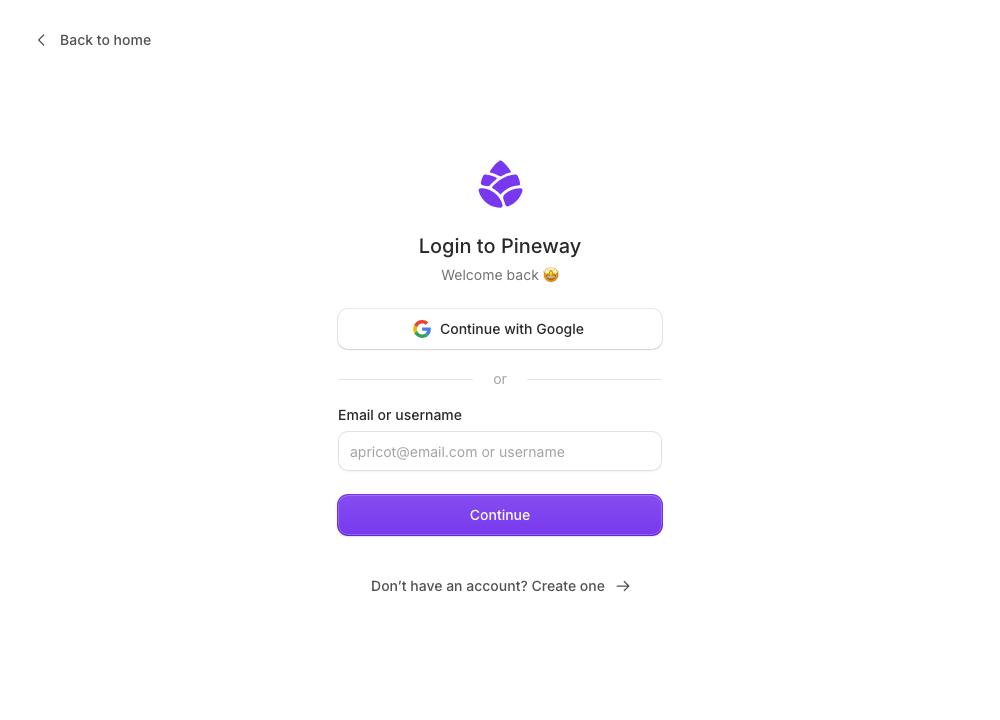
Sign in with your email or username

You can now use either your email address or your Pineway username to sign in.

Pineway sign-in screen with an Email or username field

Aug 6, 2026

Fit sessions around your Apple Calendar

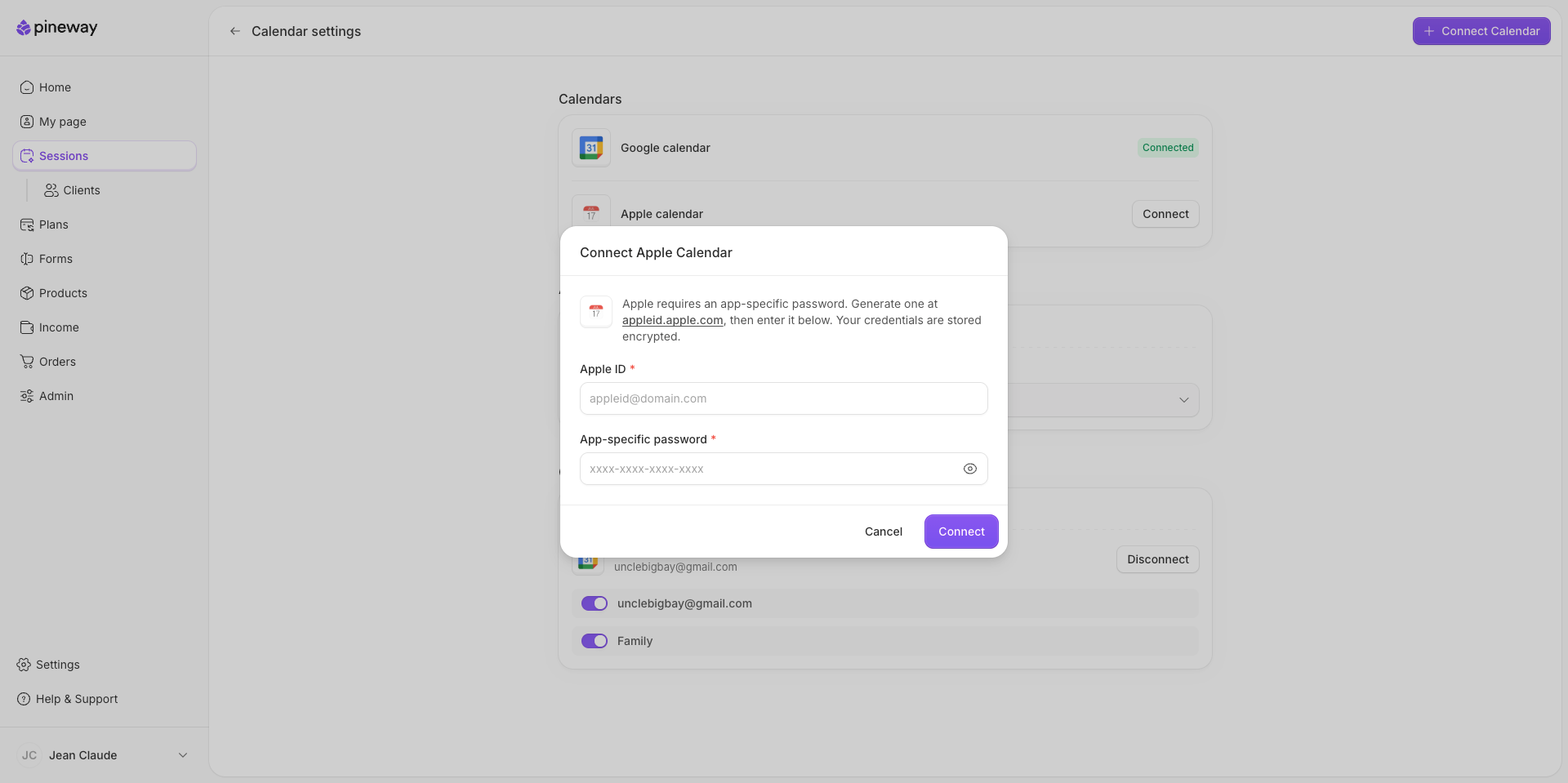
You can now connect Apple Calendar to fit sessions around busy times in your selected iCloud calendars. You can also have booked sessions added to a calendar of your choice. If you also use Google Calendar, clients can book around busy times on both (if selected).

Apple Calendar integration in Pineway

You’ll need your Apple ID and an app-specific password from your Apple account to connect.

Connect Apple Calendar.

Jul 29, 2026

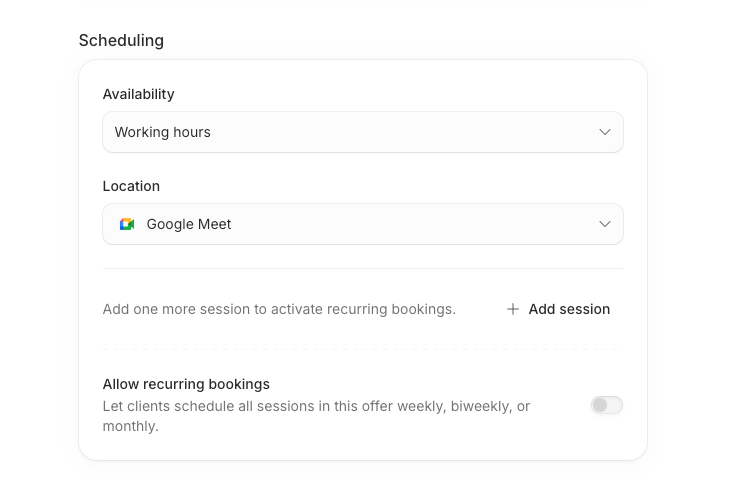
Let clients book a recurring series of sessions

Clients can now book a series of sessions on a weekly, every-other-week, or monthly schedule. At checkout, they can review the proposed dates and resolve any highlighted conflicts before confirming.

Booking a recurring series of sessions in Pineway

For offers with more than one session, turn on Allow recurring bookings to give clients this option.

Pineway logo